The problem is, if the idea, keyword or topic was a guess in the first place, creating more Pins based on the same guess probably isn’t the smartest next move.
That’s where Pin Inspector starts to make a lot of sense.
Pinterest gives us something Instagram doesn’t
One of the reasons I’m interested in Pinterest is that people are actively searching for things.
They’re looking for ideas, answers, products, inspiration and solutions. Which means there’s useful information sitting underneath all that activity about what people are actually searching for and what content is already getting attention.
And yet it’s ridiculously easy to ignore all of that and sit in Canva thinking:
“Hmmm. What should I make a Pin about today?”
That’s the bit I want to stop doing.
I don’t want to spend an hour creating something and then find out nobody was particularly interested in the topic.
I’d rather research first.
The problem isn’t always your Pin design
This is where I think Pinterest can send you down the wrong rabbit hole.
A Pin doesn’t perform how you hoped, so you immediately start questioning the design.
Maybe the font was wrong. Maybe the headline needed to be bigger. Maybe you need different colours. Maybe you should make another seven versions.
But what if the bigger problem happened before you even opened Canva?
Maybe you chose a phrase people aren’t searching for.
Maybe there’s another way your audience describes the exact same problem.
Maybe you’re creating around a topic you think is important instead of looking at what Pinterest users are already showing interest in.
That’s a completely different problem.
And prettier graphics won’t fix it.
This is what Pin Inspector actually does
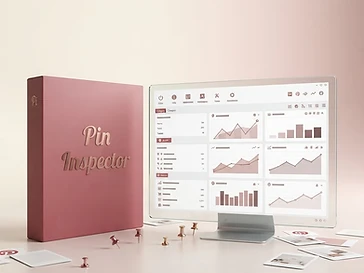
Pin Inspector is Pinterest research software.
Instead of guessing what might work, it lets you dig into Pinterest data and research things like keywords, trends, Pins and competitors.
Its tools include finding trending search phrases, analysing Pins, researching competitor content and browsing Pinterest data.
Pin Inspector also provides a large number of data points for individual Pins and videos, giving you more information to work with before deciding what content to create.
In other words, the idea is pretty simple:
Research first. Create second.
And THAT is the part I like.
Because I don’t need Pinterest to become another content hamster wheel
I already have enough places where I could spend my entire day creating things. 😂
I don’t want my Pinterest strategy to become:
Create 10 Pins.
Hope.
Check analytics.
Get confused.
Create 10 more.
I’d rather spend some of that time figuring out what people are searching for, looking at what is already working in my niche and then using that information to decide what deserves to be created.
Pin Inspector includes dedicated research for keywords, trends, Pins, boards and people, along with filtering and research tools.
That doesn’t mean every Pin you create will suddenly take off.
It means you’re making decisions with more information and less guessing.
There’s a big difference.
The little mindset shift I’d make before creating your next Pin
Before you ask:
“What should I post on Pinterest today?”
Try changing the question to:
“What is my audience already looking for?”
Because those two questions can lead you to very different content.
One starts with what you feel like creating.
The other starts with existing demand.
And if I’m trying to use Pinterest to bring people towards my blog, resources and offers, I know which one I’d rather build around.
Who I think Pin Inspector makes the most sense for
I wouldn’t buy Pin Inspector simply because you have a Pinterest account.
If you’re barely using Pinterest and aren’t ready to actually create content from the research, you probably don’t need another tool sitting untouched on your computer.
But if you’re already trying to build Pinterest into a genuine traffic channel and you’re tired of choosing topics, keywords and Pins based on what sounds right, that’s where I think it becomes interesting.
Especially if your current research process consists of typing something into Pinterest, scrolling around for five minutes and going:
“Yep. That seems popular.” 😂
Pin Inspector gives you a much deeper research layer than that.
Pinterest doesn’t need more of my guesses
This is probably my biggest takeaway.
We spend so much time trying to create more content when sometimes the better move is improving the decision that comes before the content.
What topic?
What search phrase?
What are people responding to?
What’s already working?
What can I learn before I spend time designing anything?
Pin Inspector isn’t there to magically make every Pin successful. It’s there to give you more information to make those decisions with.
And if Pinterest is part of the long term traffic plan for your business, that feels a hell of a lot better than crossing your fingers every time you hit publish.
→ Check out Pin Inspector here
Affiliate disclosure: This post contains affiliate links. If you purchase through one of my links, I may earn a commission at no extra cost to you. I only share resources I believe could be genuinely useful for the right person.